Get the quote out.
Get the answer back.
Build a clear quote, send it to the customer, and keep the follow-up tied to the job. Stop letting good leads go cold.
BUILT FOR ALUMINUM ENCLOSURE CONTRACTORS.
Pool cages. Screen rooms. Patio covers. Quote the work, line up the crew, and know what you made. Keep the whole enclosure job in one place.
Early access for aluminum enclosure contractors.
Keep the whole enclosure business in view.
Screen rooms
/Pool enclosures
/Patio covers
/Rescreens & repairs
A BETTER DAY ON THE JOB
Good work is hard enough. Running the business shouldn’t make it harder.
Build a clear quote, send it to the customer, and keep the follow-up tied to the job. Stop letting good leads go cold.
See what’s ready, what’s stuck, and who’s going where. Keep drawings, materials, and job photos with the work.
Put the contract amount next to your costs and payments. Know what the job brought in—and what it took to finish.
THE WHOLE JOB. NOT HALF OF IT.
From the first “can you give me a price?” to the last item on the punch list. Keep the details together.
Customers & leads
Keep pool enclosure, screen room, and repair inquiries with the customer, job notes, and history. Stop hunting through texts to remember what you promised.
See how it works At your desk. On the job.
Customer details, job history, and the next step stay together.
Pull up the same customer when you’re out on a measure.
PRODUCT PREVIEW · SAMPLE DATA
Quotes & signatures
Bring the scope, dimensions, line items, drawings, and customer acceptance together. Give the customer a clear offer and give your office a record of it.
See how it worksAt your desk. On the job.Services, measurements, and scope belong in the same quote.
Build the quote at your desk or with the customer on site.
PRODUCT PREVIEW · SAMPLE DATA
Sales appointments
Book the sales visit, keep it connected to the enclosure job, and bring the notes back to the same record.
See how it worksAt your desk. On the job.Color-coded appointments make different kinds of work easy to spot.
The mobile day view puts the next visit right in front of you.
PRODUCT PREVIEW · SAMPLE DATA
Job board & crews
See sold jobs, engineering, permits, and crew assignments. Move work forward with fewer calls between the office and the field.
See how it worksYour office, organized.See the job queue next to the crew calendar.
Keep crew assignments and the enclosure job together.
PRODUCT PREVIEW · SAMPLE DATA
Sketches & site plans
Draw the enclosure, mark a door or post, and keep the site plan where the estimator and crew can find it.
See how it worksAt your desk. On the job.Keep the shape, doors, and measurements with the job.
The landscape editor gives the drawing more space on your phone.
PRODUCT PREVIEW · SAMPLE DATA
Materials & purchase orders
Keep the aluminum, screen, hardware, and purchasing paperwork with the enclosure job. Track materials from needed to used.
See how it worksYour office, organized.Keep material quantities and purchasing details together.
Review the list while there’s still time to catch a missing item.
PRODUCT PREVIEW · SAMPLE DATA
Engineering & permits
Keep engineering applications, sketches, drawings, and permit documents together. See the next item the office needs to chase.
See how it worksYour office, organized.Job details, drawings, and engineering information in one workspace.
Find what the office needs before the job can move forward.
PRODUCT PREVIEW · SAMPLE DATA
Texts, email & follow-up
Keep customer messages tied to the job. Review reply drafts and follow-up work with the quote and project in view.
See how it worksAt your desk. On the job.Customer messages stay connected to the work.
Review the job and the conversation before sending an answer.
PRODUCT PREVIEW · SAMPLE DATA
Job photos & files
Keep the before photos, site plan, permit, and final walkthrough with the enclosure project. Find them without scrolling through a phone.
See how it worksAt your desk. On the job.Photos and documents stay with the enclosure project.
Open the same files from your phone when you need them.
PRODUCT PREVIEW · SAMPLE DATA
Costs & payments
Put the contract next to materials, labor, engineering, and permit costs. See what is left when the enclosure is done.
See how it worksAt your desk. On the job.Put the contract amount beside the costs of doing the work.
Keep recorded payments and the remaining balance in view.
PRODUCT PREVIEW · SAMPLE DATA
Marketing & reporting
Review lead sources and past quotes. Find the enclosure prospects who still need an answer, and follow up with a purpose.
See how it worksYour office, organized.Review the sources bringing inquiries into your business.
Find prospects who still need a useful follow-up.
PRODUCT PREVIEW · SAMPLE DATA
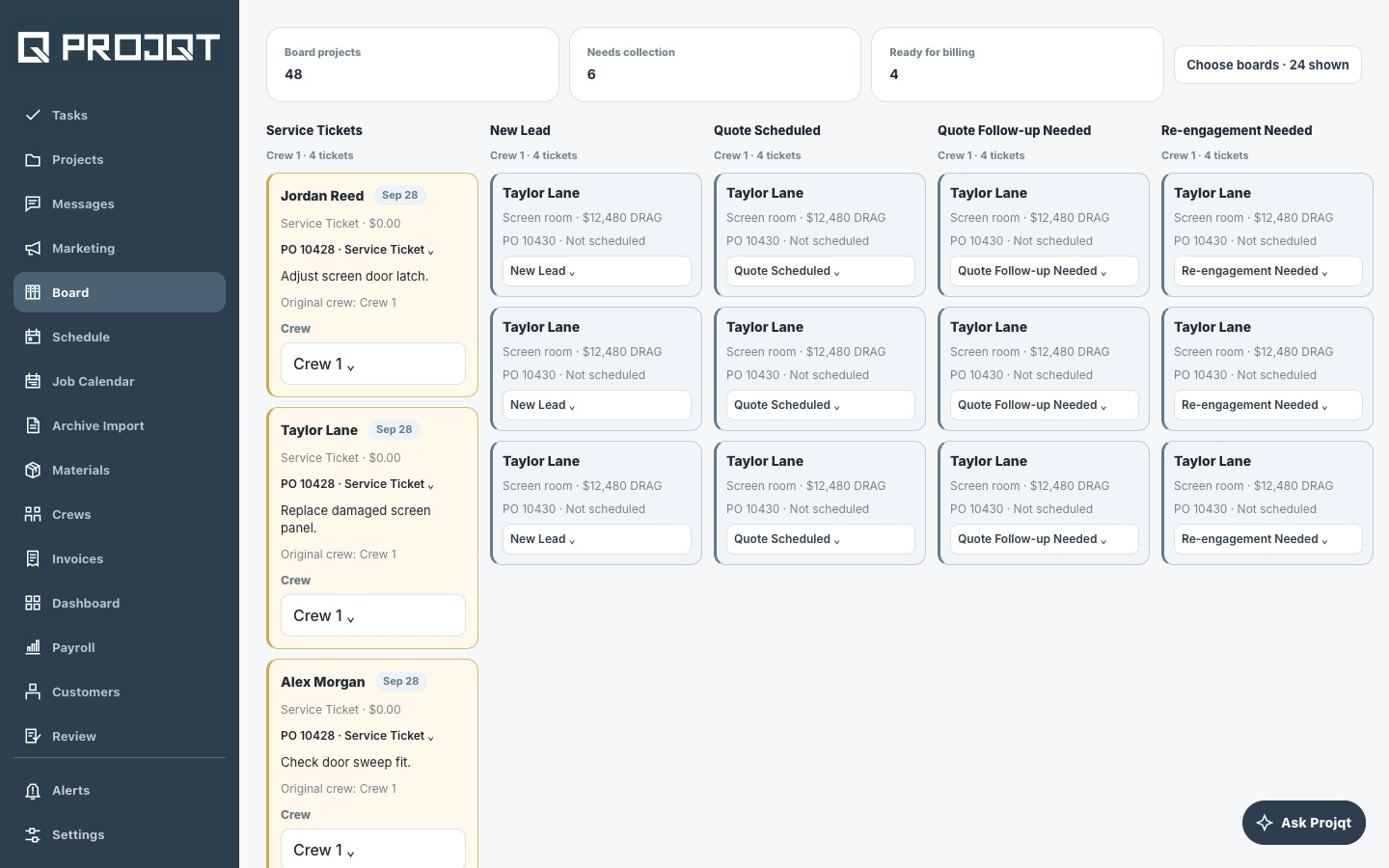
Service & old records
Link the service ticket to the enclosure you built. Review old scanned paperwork and bring useful history into the project.
See how it worksYour office, organized.Keep service tickets visible alongside the rest of your work.
Find the original project before handling the repair.
PRODUCT PREVIEW · SAMPLE DATA
Explore the workflows behind Projqt. Availability and setup for your company will be discussed during early access.
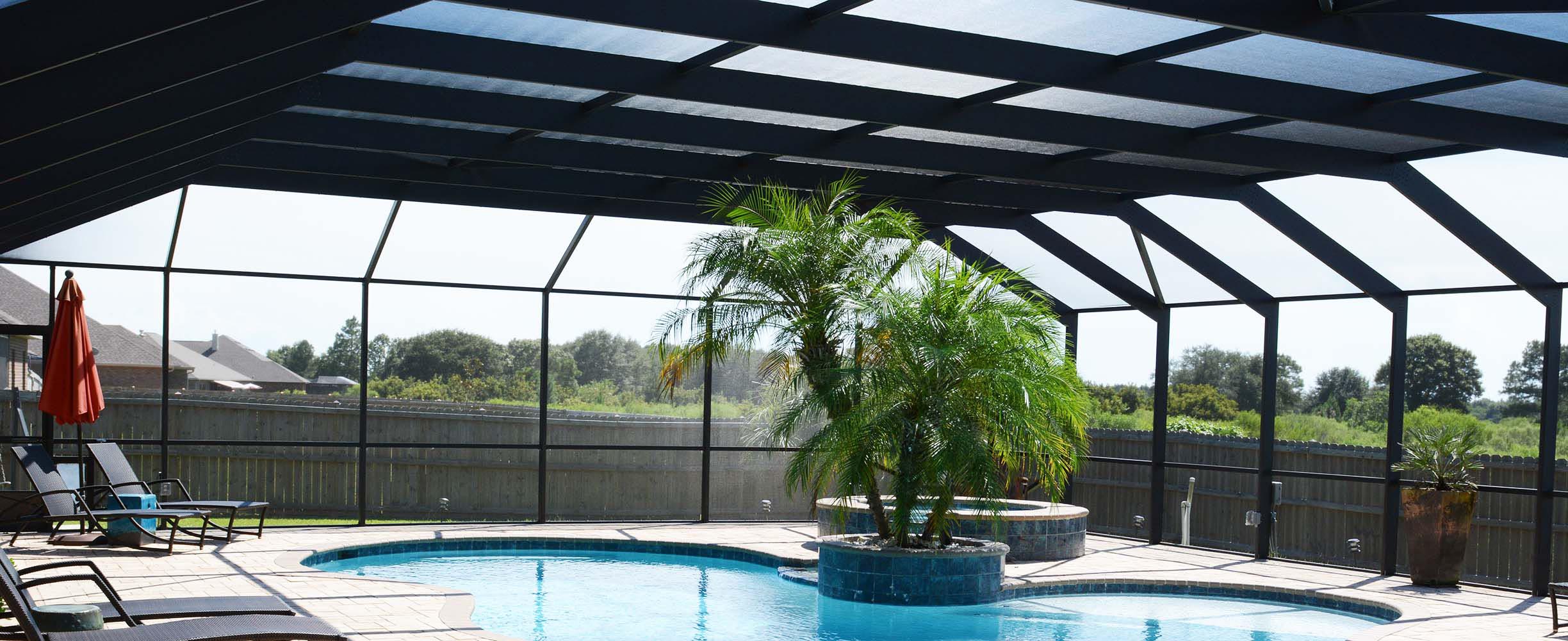
BUILT AROUND ALUMINUM ENCLOSURE WORK
Customers change their minds. Materials take time. Weather moves the schedule. The crew still needs an answer.
Projqt is built around the day-to-day work of an enclosure contractor. The goal is simple: fewer loose ends between the office, the crew, and the customer.
FAIR QUESTIONS
We’re speaking with aluminum enclosure contractors about early access. The workflows you see are based on an existing contractor app. Projqt’s version for multiple independent businesses is still being developed. Book a conversation to see the workflows and talk about fit.
Right now, Projqt is focused on aluminum enclosure contractors: pool cages, screen rooms, patio covers, rescreens, and enclosure repairs. That focus keeps the workflows tied to how your trade actually works.
Projqt pricing hasn’t been announced. We’re learning what contractors need before setting plans. The first conversation is free, with no purchase required.
The workflows behind Projqt include QuickBooks-related accounting tools. The right connection and supported features for Projqt will depend on your setup. We’ll review that with you before making promises.
The existing app has tools for reviewing scanned records and linking them to customers and projects. We’ll need to look at your files and current software before agreeing on a migration.
LET’S TALK ABOUT YOUR BUSINESS
Show us what’s slowing you down. We’ll walk through the workflows, talk about what fits, and be straight with you about what’s next.
You’ll meet with the team behind Projqt.
Times shown in Central Time (Chicago).
Loading available times…